Recovery kit
Your backups are encrypted with the password you chose in the setup wizard. Arkive keeps that password in its database, encrypted with /config/.keyfile, and both live on the server they protect. If that server dies and the password isn't stored anywhere else, every snapshot is unreadable.
The recovery kit is a one-page export with everything needed to open the backups from another machine.
What's in it
- The encryption password (restic's repository password).
- Every repository: name, type, whether it is enabled, the restic repository string, and the non-secret settings such as bucket, endpoint, region, host, username and path. For a local target it also shows the folder's path on the host, where Arkive can work it out.
- Restore instructions, with and without Arkive.
- The config keyfile (
/config/.keyfile). It decrypts the credentials stored in Arkive's own database, and you only need it to bring back Arkive's settings (see Restoring backups). - The server name, the date it was generated, and the Arkive version.
Storage provider credentials (keys, secrets, passwords, tokens) are not in the kit. Keep those in your provider account or your password manager.
Save it
- Go to Settings → Recovery Kit and click Generate recovery kit. Each generation is recorded in the Activity feed.
- Use Reveal to check the values, then Download (.txt) or Copy.
- Store it somewhere other than this server: a password manager, or a printed copy kept safely.
- Tick I stored this somewhere other than this server and click Confirm.
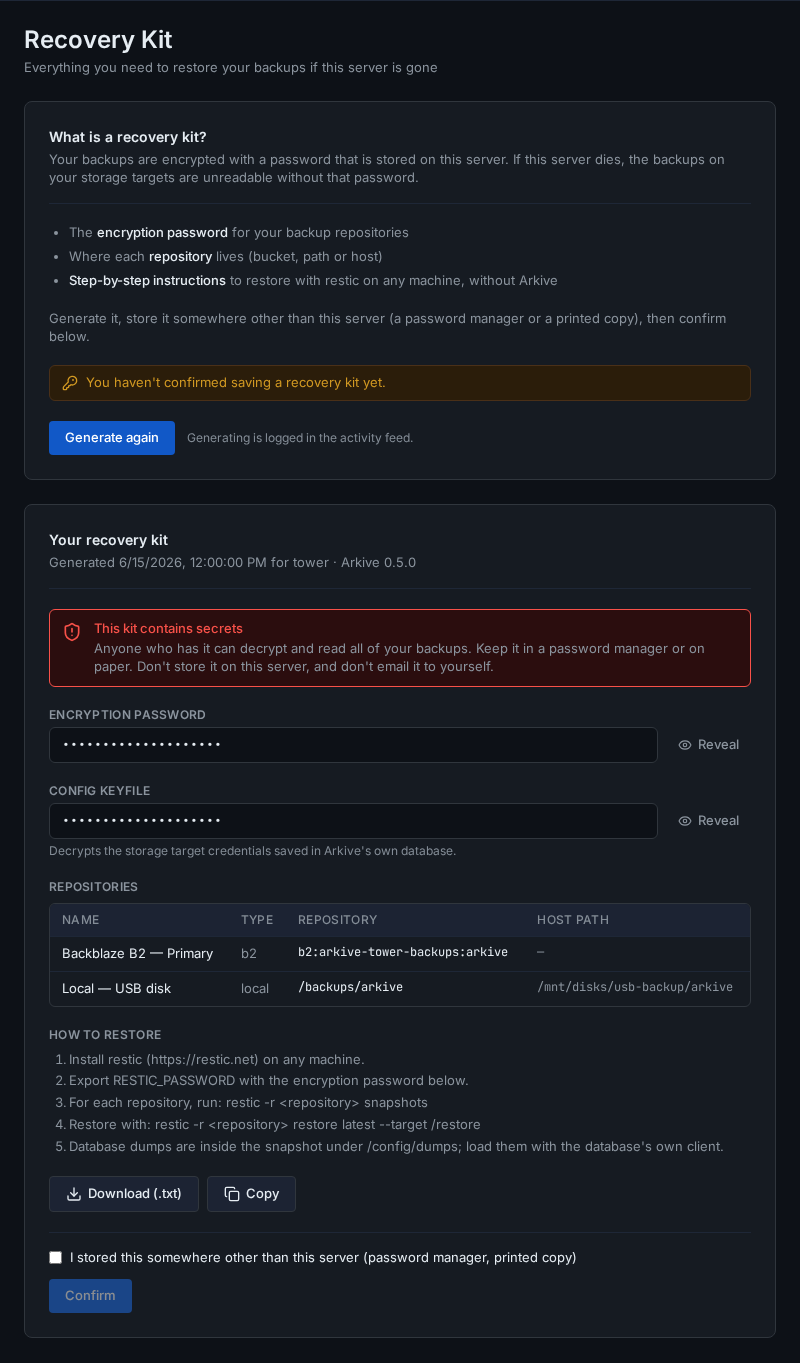
Until you confirm, GET /api/status reports recovery_kit_confirmed: false and the dashboard reminds you: as the Save the recovery kit step of the setup checklist while that checklist is open, otherwise as a separate "Save your recovery kit" reminder.
Anyone who has the kit can decrypt and read all of your backups. Don't store it on the server it protects, and don't e-mail it to yourself.
Keep it current
The encryption password can't change after setup, but the repository list can. Generate the kit again and replace your stored copy after you add, remove or re-create a storage target. The repository string of a cloud or SFTP target contains its target ID, which is new every time a target is added.
Using it
Restoring backups walks through recovering a lost server with the kit, both with a fresh Arkive install and with restic alone.